

How Does a Smart Business Card Actually Work?
A smart business card uses an NFC chip to open your digital profile instantly. You tap, your details appear, and the recipient needs no app.
Share your contact details in seconds, and keep them updated forever. A smart business card makes that possible with one small NFC chip and one digital profile.
You tap the card against a compatible smartphone. The phone reads the chip and opens your profile. No app installation needed.
It’s fast, simple, and impressively professional.

What makes a business card “smart”?
A smart business card combines three simple parts:
- A physical card
- An embedded NFC chip
- An online digital profile
The card gives people a physical way to connect with you. The chip creates the digital connection.
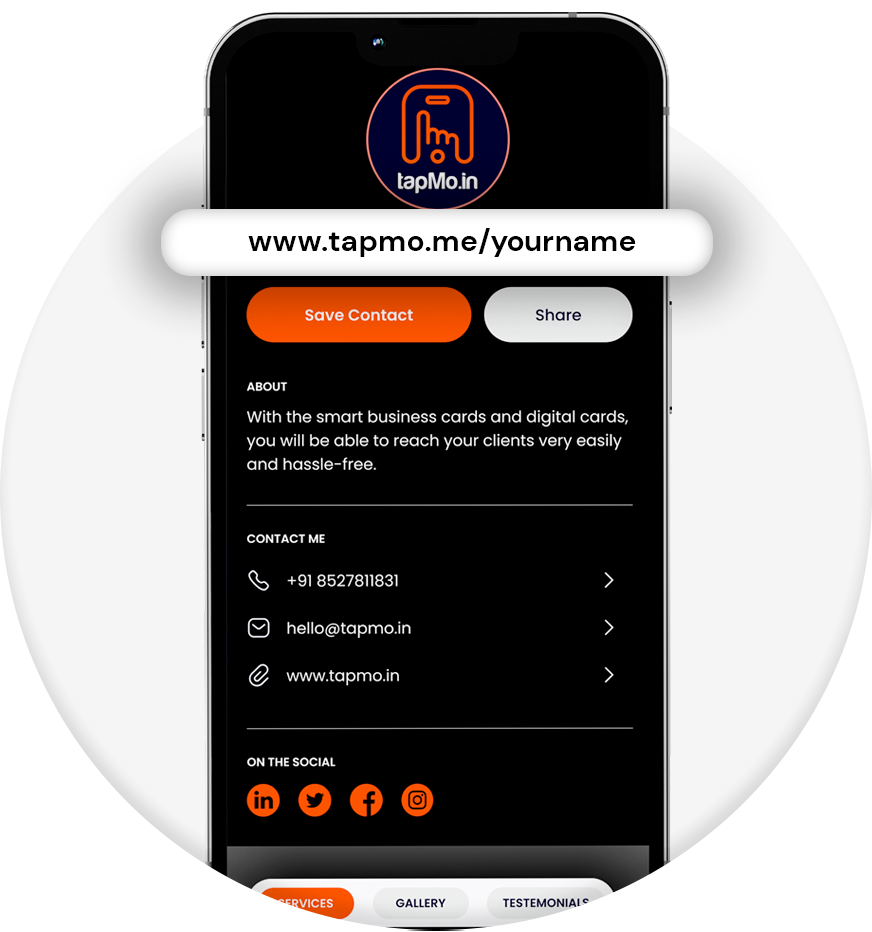
Your card can store a web link to your profile. That profile can include your:
- Name and job title
- Phone number and email
- Company information
- Social media accounts
- Website and portfolio
- Products and services
- Gallery and testimonials
TapMo’s digital card platform lets you build and manage this profile online.
The physical card starts the interaction. Your digital profile carries the information.
What sits inside an NFC card?
An NFC card contains a tiny passive NFC chip. “Passive” means the chip needs no battery.
The phone creates a small electromagnetic field. That field powers the chip for a moment.
The chip then sends its stored information back to the phone.
Most smart business cards store a short URL. They don’t store your complete contact details inside the chip.
For example, the chip may store a link similar to:
tapmo.io/yourname
That link opens your hosted TapMo profile. You can update the profile later without changing the card.
This design keeps your card useful for years.
What happens during a tap?
The process takes only a few seconds.
- You hold the NFC card near the recipient’s phone.
- The phone detects the nearby NFC chip.
- The phone powers the passive chip.
- The chip sends its stored profile link.
- The phone displays an NFC notification.
- The recipient taps the notification.
- The digital profile opens in the browser.
The recipient can then save your contact details. They can also visit your website or social profiles.
This explains how a tap to share business card works. The card doesn’t send every detail directly.
It sends one smart link that opens everything.
Does the recipient need an app?
No. The recipient doesn’t need a special app.
Modern iPhones and Android smartphones usually include built-in NFC support. The phone reads the card through its operating system.
The recipient only needs to:
- Use an NFC-compatible smartphone
- Keep NFC enabled when required
- Hold the phone close to the card
- Tap the notification
They don’t need a TapMo account. They don’t need to download anything.
TapMo’s compatibility guide lists supported iPhone and Android models.
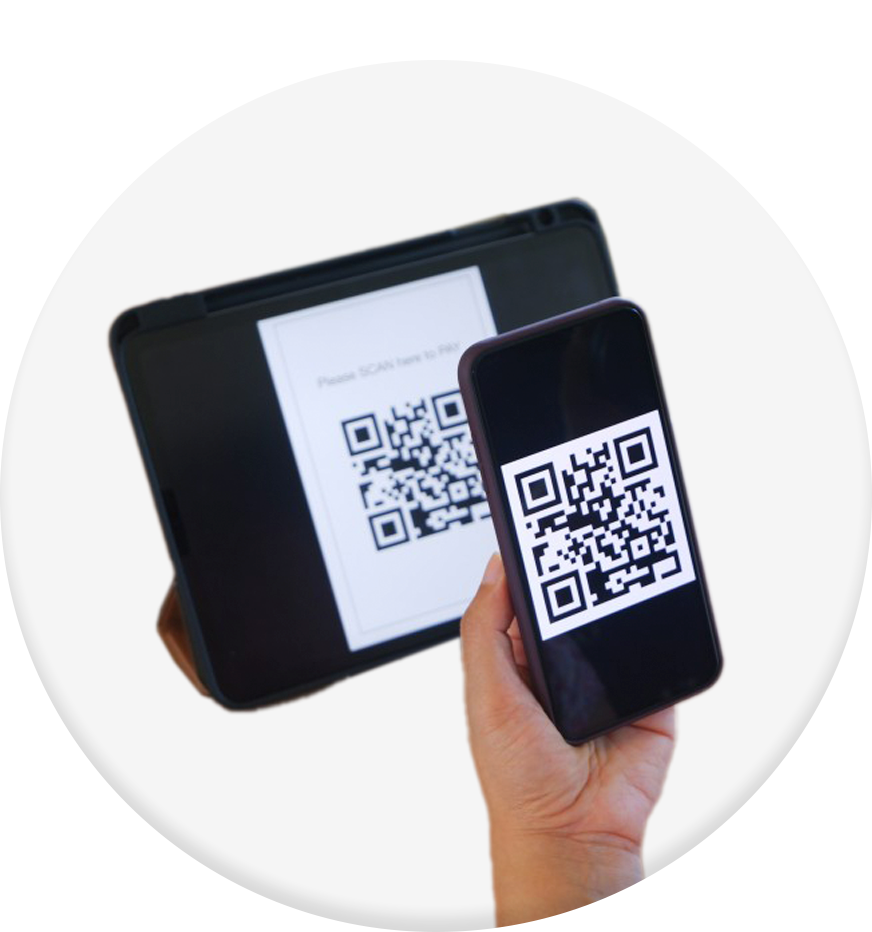
What if the phone doesn’t support NFC? The recipient can scan the QR code printed on the card.
That gives you a reliable backup for almost every networking situation.
How does the digital profile stay updated?
Your card usually keeps the same link. Your online profile changes behind that link.
Imagine changing your phone number after printing 500 paper cards. You would need to replace every card.
A digital business card removes that problem.
You can update your:
- Phone number
- Email address
- Job title
- Company details
- Social media links
- Portfolio
- Services
- Profile photo
The next person who taps your card sees the latest information.
You don’t need to reprogram the physical card. You don’t need to print another batch.
Your link stays stable while your information keeps moving.
How do you create a smart business card?
You can build your card in a few clear steps.
1. Choose your card style
TapMo offers several card formats for different professional needs.
You can choose from:
- Metal cards with engraving
- Wooden NFC cards
- PVC cards
- NFC-enabled smart standees
Your choice depends on your brand, budget, and networking environment.
Metal cards suit executives and premium brands. Wooden cards support sustainability-focused businesses.
PVC cards offer a practical option for teams and everyday use.
2. Add your professional details
You provide the information people need to contact you.
This usually includes your name, number, email, designation, and company details.
You can also add your logo and social media links.
3. Approve your card design
TapMo provides free design assistance before production. You can review the design before printing starts.
This step helps you check:
- Logo placement
- Text accuracy
- Brand colours
- Engraving details
- QR code visibility
You approve the final design before production.
4. Connect your digital profile
Your NFC chip connects with your hosted digital profile. You can manage that profile online through the TapMo profile platform.
The profile works like a small personal website. It can show your contact details, social links, services, and portfolio.
5. Tap and share
Once your card arrives, test it with a compatible phone.
Hold the card near the phone’s NFC reading area. The profile should open through the phone’s browser.
Does the card work with iPhones and Android phones?
Yes, most newer iPhones and Android phones support NFC.
However, each phone places its NFC reader differently. The reader usually sits near:
- The top back of an iPhone
- The centre or upper back of an Android phone
Move the card slightly if the first tap doesn’t work.
Phone cases can also affect the reading distance. Thick or metal cases may reduce NFC performance.
TapMo supports a wide range of devices. The company also recommends QR codes when a phone cannot read NFC.
This gives you two sharing options from one card.
Why does the card need to stay close?
NFC works over a very short distance. You normally need to hold the card within a few centimetres of the phone.
That short range creates a deliberate interaction. People cannot read your card from across a room.
You control when the connection starts.
The short range also makes NFC practical for networking. You simply bring your card close to the phone and tap.
No pairing process. No Bluetooth settings. No manual typing.
Is an NFC card secure?
An NFC card normally shares a link. It doesn’t automatically expose private information stored on your phone.
You control the information shown on your digital profile.
You can choose which details to display. You can remove old links or change your contact information anytime.
Follow these basic practices:
- Share only professional information
- Use a trusted profile platform
- Keep your login details private
- Review your profile regularly
- Remove outdated contact links
The card only starts the connection. Your profile controls the experience.
What makes tap-to-share better than paper cards?
Paper cards force people to type your information manually. That creates mistakes and delays.
A smart business card gives people direct access to your details.
You can:
- Share unlimited times
- Update information without reprinting
- Add more links after production
- Display your portfolio instantly
- Reduce paper waste
- Offer QR code backup
- Create a stronger first impression
You also avoid the awkward moment when someone says, “I’ve run out of cards.”
Your digital profile never runs out.
Who can use a smart business card?
A smart business card can support almost any professional interaction.
It works well for:
- Corporate executives
- Sales teams
- Freelancers
- Consultants
- Real estate agents
- Doctors and clinics
- Creatives and designers
- Entrepreneurs
- Conference attendees
- Small business owners
You can also use NFC-enabled standees at reception desks, shops, and events.
A visitor can tap the standee and open your profile, menu, catalogue, or review page.

Which models support NFC?
Most recent premium and mid-range smartphones support NFC. Some budget models may not include it.
You can check your phone’s settings or manufacturer specifications.
If the recipient’s phone lacks NFC, use the QR code. They can scan it with their camera.
This makes your tap to share business card flexible across different devices.
The experience stays simple either way.
What should you remember about smart business cards?
A smart business card works as a bridge between physical networking and digital communication.
The NFC chip stores your profile link. The phone reads that link. The browser opens your digital profile.
You can update your details without replacing the card. Your recipient needs no app.
With TapMo, your card can also support QR sharing, custom branding, and lifetime digital profile access through the TapMo smart business card range.
It’s reusable, flexible, and effortlessly professional.